




What is a vector logo?
You’ve probably heard of vector images, but you may only know what that means if you are familiar with design. All images look the same at first glance, but technically, they are not. Specifications of shapes called “vectors” define rather than the static colored dots known as pixels. Using vectors allows you to rescale images without compromising their resolution, making them ideal for customizing your trade show furniture and gear with your logo.
The difference between vector and raster images
Unless you know what you’re looking for, it’s difficult to distinguish between raster images, typically saved as JPG, GIF, or PNG, and vectorized ones, often saved as SVGs. We cover the differences in depth in our blog post on Raster vs. Vector Images.
A vector logo can be resized without compromising its resolution, and the file itself takes less storage space than if it were saved as a raster logo. The ability to resize without losing quality is an essential technical feature for design, as you want your artwork and logo to display beautifully when enlarged on custom trade show tents, marketing display booths, and event furniture.
Why are vector logos important?
While raster images are the most popular image types due to their ease of use in typical online situations, you must have your logo in vector format when ordering any physical materials. Avoid using a raster logo file, which will look dull and old rather than crisp and clean when upscaled.
Scalable without compromising the quality
Easy to edit & Versatility
With vector logos, you can easily change colors, shapes, and other elements while not affecting the logo’s resolution or shape. For example, if your logo doesn’t fit in a green background because it’s green, and you have to change the color of part of it, the fact of it being formed by vectors allows you to not have to re-draw it from scratch but automatically change the vector color without modifying anything else. When you see a red line, you think: oh yeah, that’s a red line – and this is how vectors are specified. It’s simple to make it green: you just say it’s a green line instead. By contrast, updating from red to green in a raster image is imprecise since it requires updating every pixel that the line touches while attempting to account for the coloring of adjacent elements.
Vector logos can be saved in various formats, such as SVG, AI, and EPS, among others, making them compatible with a wide variety of software. This makes them perfect for digital and printed surfaces, media, trade show furniture, and signage. At any point, a vector logo can be converted into a raster image without compromising its resolution. However, it’s nearly impossible to precisely vectorize a raster image.
Small file size and color consistency
Although raster images are often algorithmically compressed to save size, vector images are generally significantly smaller. Conceptually, this makes sense: defining the shapes in an image is likely much simpler than trying to list every dot of color. Fast loading speeds are crucial on the Internet, making vector images ideal for quicker file transfers. Faster file transfers mean a better customer experience, more sales, and happier business owners.
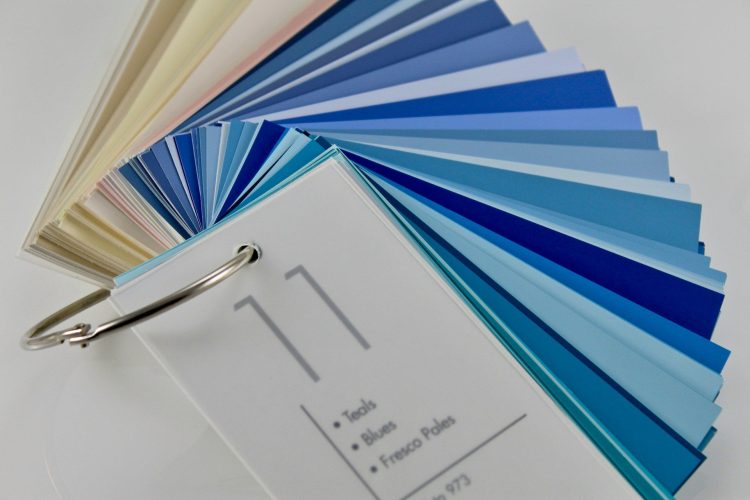
Regarding color, vectors have expression options for coloring, including HTML hex codes, CMYK, and even Pantone. Using vectors is vital for exact color matching in print, making your brand consistent across platforms. In addition, vectors give your logo a more professional look, thanks to the smooth lines they create compared to individual colored pixels in raster logos.
How to create a vector file
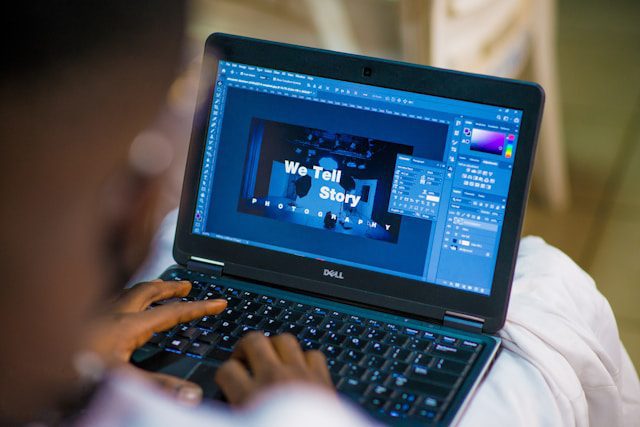
Creating a vector file or vector logo> is straightforward using modern graphic design software:
- Industry-standard: Adobe Illustrator
- Collaborative tools:Figma
- Alternatives: CorelDRAW, Affinity Designer, and Inkscape (free)
These tools allow you to use pen, shape (rectangles, circles, polygons, etc.), and typography tools to create your vector logo. Even the most complex logo is comprised of basic shapes layered together. Draw using these different tools and multiple layers, so it’s organized and more straightforward to modify at any time.
If you are less of a creative type, there are various vector logo maker apps and sites that let you create a from a description using AI. Wix’s logo maker is a great, popular example.
How to save as a vector file
When you go to save any file, you’re often presented with a confusing menu of acronym salad. Unfortunately, vector images are not an exception here. Each file format has unique strengths and purposes, but generally speaking, it’s best to save your vector logo as an SVG.
- Primary file type: SVG
- Alternate types: AI, EPS, CDR, DXF, WMF, SVGZ, SWF
Other helpful vector design tips?
- Thinkin composable shapes: lines, circles, polygons, and text
- Keep elements and vectors organized with groups and layers
- Use consistent naming throughout your projects
- Raster images can be included but will not scale like the other elements
How to turn an image into a vector
If your logo is currently a raster image, consider taking the time to make a vector version of the logo.
We’re often asked the following questions:
- How do I convert JPG to vector file?
- How to convert PDF to vector file?
Ultimately, there’s only one way:trace the image
Some tools, like Adobe Illustrator, include software functions that automatically identify parts of the logo that seem to go together and transform them into vectors. Automatic tracing typically gives you a decent and workable output but with a few glitches. The only way to get a perfectly clean image is to draw it manually, step by step. We understand budget constraints, but frankly, given the effort, precision, and experience with graphic design tools required, we recommend hiring a pro to do this for you.
Freelancer sites like Fiverr have countless artists ready to do this work for you in just a day or two, and it won’t break the bank; expect to spend around $20 for high-quality output.
Conclusion
Creating a vector version of your logo is essential for various media and surfaces to maintain high quality and versatility. A vector logo can be scaled indefinitely without compromising resolution, ensuring brand consistency. These vectorized formats are easy to edit and result in smaller, faster-to-load files. If you need to create a vector logo from a raster image, you can trace yourself using software such as Adobe Illustrator. Still, we recommend hiring a freelancer to ensure a polished, high-quality image that suits your brand.
More Resources for You: